How to book MSE Conference Rooms
MSE used Outlook to book all of our conference rooms.
Materials Engineering Conference Rooms
- ARMS 2326 | Fits 24 people (TV Screen with adapters)
- ARMS 2237 | Fits 8 people (TV Screen with adapters)
- ARMS 2222 | Fits 7 people (TV Screen with adapters)
- ARMS B197 | Fits 12 people (TV Screen with adapters)
MSE Conference Room Reminders
Please keep these guidelines in mind when using MSE conference rooms:
- Rooms close at 5 PM: ARMS 2222, 2237, and 2326 close at 5 PM unless you are accompanied by a faculty member. ARMS B197 is the exception.
- Use a clear meeting title: Include who/what the reservation is for, such as Prof. _____ Meeting or Company Senior Design Group.
- Reserve at least 24 hours in advance: Last-minute requests may not be approved before your meeting begins. We will not ask someone already using a room to leave for a last-minute reservation.
- Leave the room ready for the next group: Push in chairs, erase whiteboards, wipe down tables, and turn off lights, TVs, projectors, and AV equipment.
These rooms are shared by the entire MSE community, including students, faculty, visitors, and industry partners. Thank you for helping keep them clean and available for everyone!
How to book in Outlook Versions
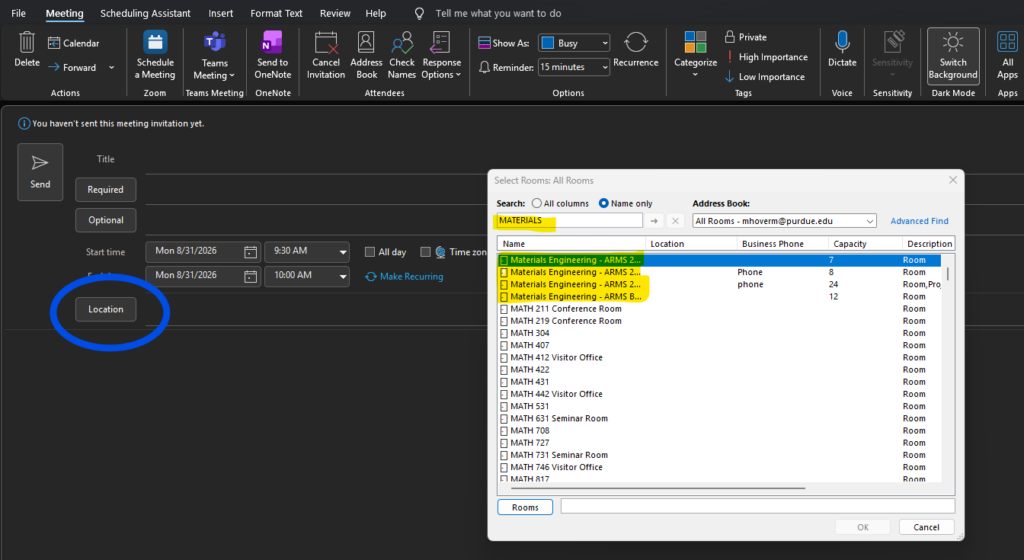
On Desktop/App
- Select: Calendar > New Meeting > Location
- Type “Materials” in the search bar and then select the desired conference room.
- Input an appropriate meeting title, add attendee’s e-mails, select time and date(s), and then send.
*Note: If making a reoccurring meeting, and it wont let you book it, check each date of your reservation. Likely there is already a meeting at/around that time. Make a meeting leading up to, skip that date, and then afterwards (2 Seperate Meetings)
Conference rooms are booked as a first come, first serve.
On Mobile/Online Browser
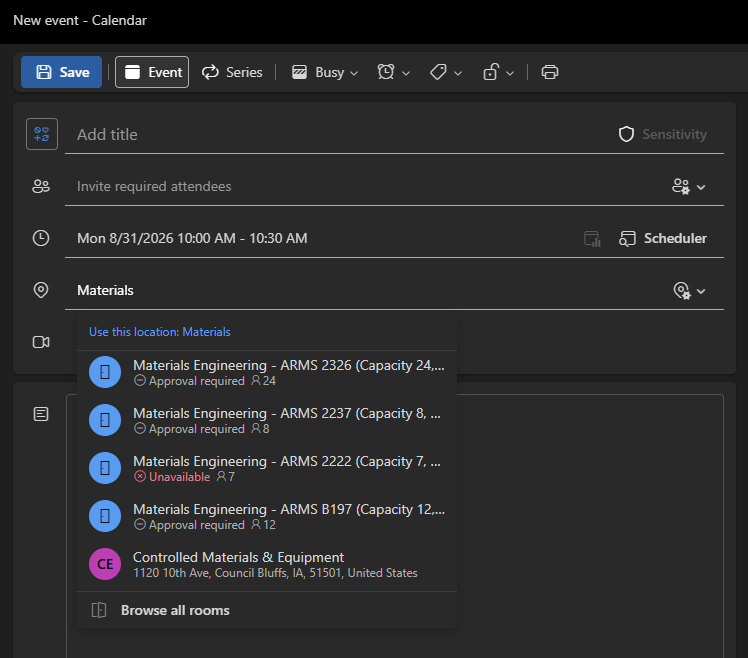
- Select: Calendar > New Event > In the Location you can type “Materials Engineering” and rooms will pop up
- Input an appropriate meeting title, add attendee’s e-mails, select time and date(s), and then send.
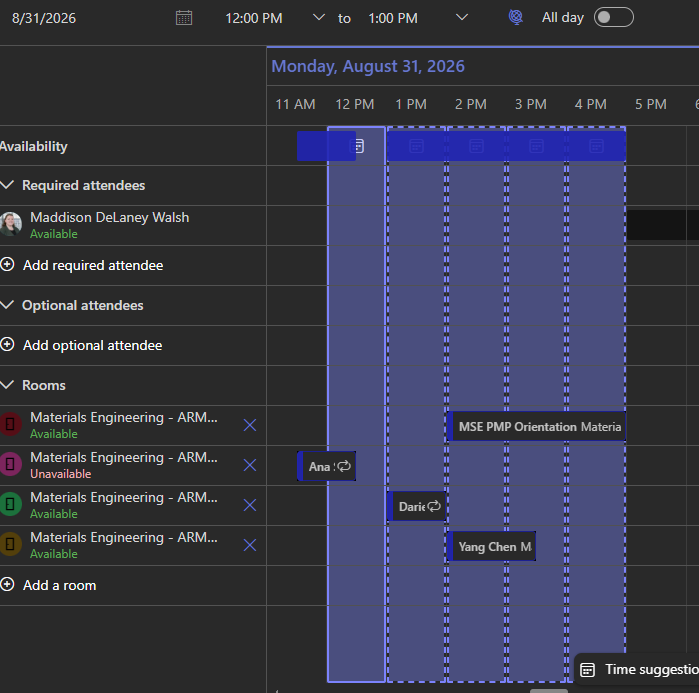
You can also choose “Scheduler” and add all the rooms to see availability
*Note: If making a reoccurring meeting, and it wont let you book it, check each date of your reservation. Likely there is already a meeting at/around that time. Make a meeting leading up to, skip that date, and then afterwards (2 Seperate Meetings)
Conference rooms are booked as a first come, first serve.